
Multnomah VINELink Means VISOR
Oregon does not use VINELink as its current branded portal. The state’s VINES service ended October 29, 2023, and Oregon VISOR began October 30, 2023. “VINELink Oregon” remains common search language, but the working service is VISOR. It is free, confidential, opt-in, and available around the clock. It covers people held in Oregon county and state facilities, including Multnomah County jails and ODOC prisons.
VISOR can report custody status and send notice of release, transfer, escape, or death. It does not claim to cover the Federal Bureau of Prisons or ICE. This boundary matters. Someone who left Multnomah County Detention Center for another authority may be gone from the county roster without being free in the community. Match the notice with the actual booking detail or agency record.
Search Multnomah VISOR Records
A one-person search should use enough identity data to avoid a false match. VISOR accepts a name or offender number. The official sources promise custody checking but do not promise a permanent post-release display period or document an exact lasting label for every released result. Do not infer more than the screen states.
- Open the current VISOR person-search portal.
- Enter the person’s name or offender number. Use the number when known to reduce name ambiguity.
- Review all likely results and compare the custody details shown for the person.
- Select the correct individual before registering any notice method.
- If no result appears, check the custody system that fits the case instead of treating absence as proof of release.
For a Multnomah jail booking, MCSO PAID is the historical confirmation route during its seven-day released window. For an Oregon state-prison case, Oregon Offender Search and an ODOC records request serve different roles. Federal sentenced custody uses the BOP locator, while ICE ODLS is a current-custody locator rather than a released-person archive. The Multnomah County release-record path ties those sources to each type of custody.
The official VISOR person-search screen shows where the current Oregon lookup begins.
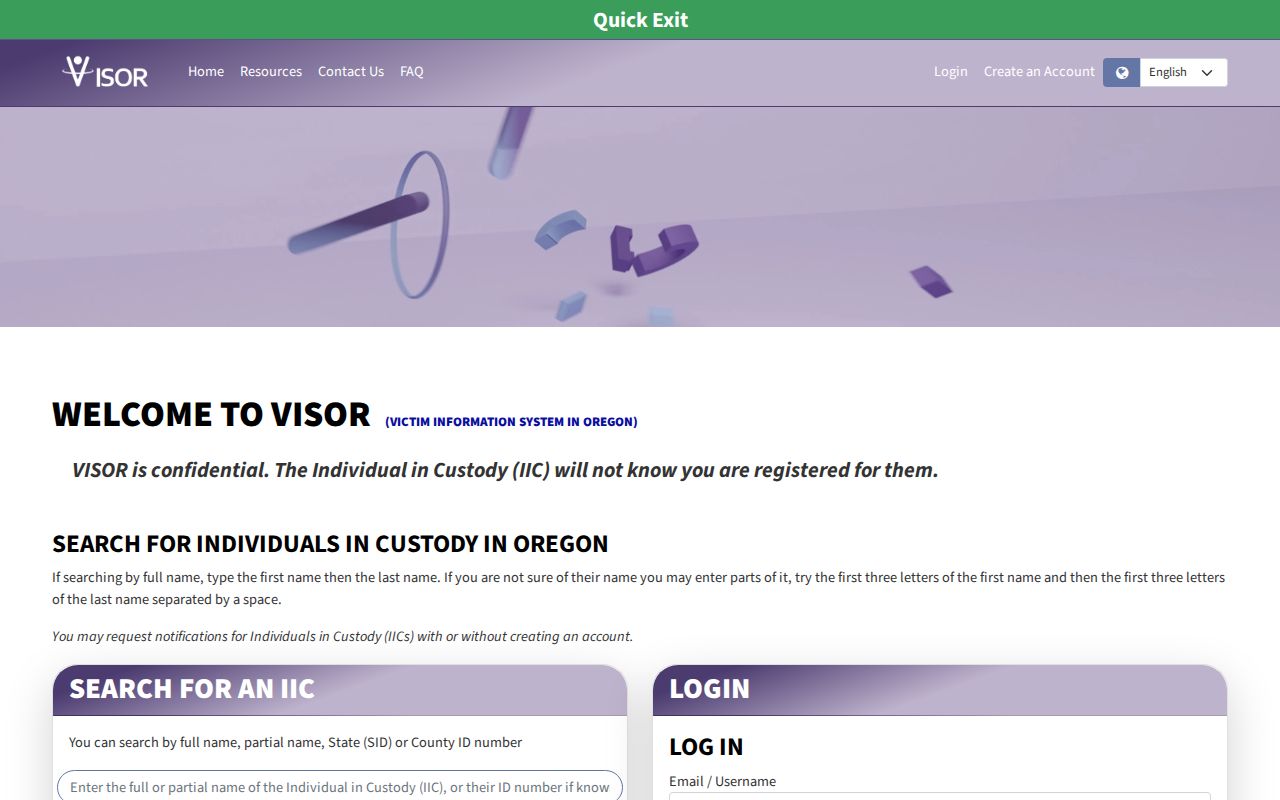
The captured screen supports the name-or-offender-number workflow and should be read as a live lookup, not a certified historical release record.
Multnomah VISOR Release Fields
VISOR’s public purpose is status checking and notification. Official guidance confirms that the system can identify the selected person and track a set of custody changes. It does not establish a fixed length of time for a released record to remain searchable. The table separates what the state documents from fields that should not be promised.
| Item | What it can establish |
|---|---|
| Name or offender number | Search input used to locate a specific person |
| Available custody information | Details used to distinguish the correct individual |
| Release alert | Notice that VISOR reported a release event |
| Transfer, escape, or death alert | A separate type of custody-status change |
| Historical display period | Not fixed by the official material reviewed |
| Certified exit proof | Not supplied by a notification alone |
A release alert is a contemporaneous signal, meaning it reports near the time of a system change. It is not the same as a certified jail exit record. For county history, open the released MCSO booking or request the custody record. For state history, request the ODOC release or discharge entry. A court judgment explains the sentence but may not show the exact time the person physically left.
Register Multnomah Release Notifications
VISOR lets a user register after the correct person has been found. Contact choices include phone, text, email, and TTY. Registration can use an account or an anonymous guest path. An account adds control over methods and timing, recent notice history, updates, and unregistration. Guest registration is useful when a full account is not wanted.
- Find and select the correct individual in VISOR.
- Choose the registration or notification option on that person’s record.
- Select phone, text, email, or TTY and provide the contact information.
- Choose an account or the guest registration option.
- For an account, create a password, security question and answer, and the preferences shown.
- Complete the portal’s current confirmation or contact-verification step and retain the registration details.
- Use the account or current help channel to change contact data or unregister later.
There is no current official four-digit PIN step. That belongs to older VINE instructions and must not be imported into VISOR. An account uses a password plus security question and answer. A guest can register without creating the same account. Follow only the verification prompts shown by the live portal.
The VISOR registration page shows the account and guest choices used by the current system.
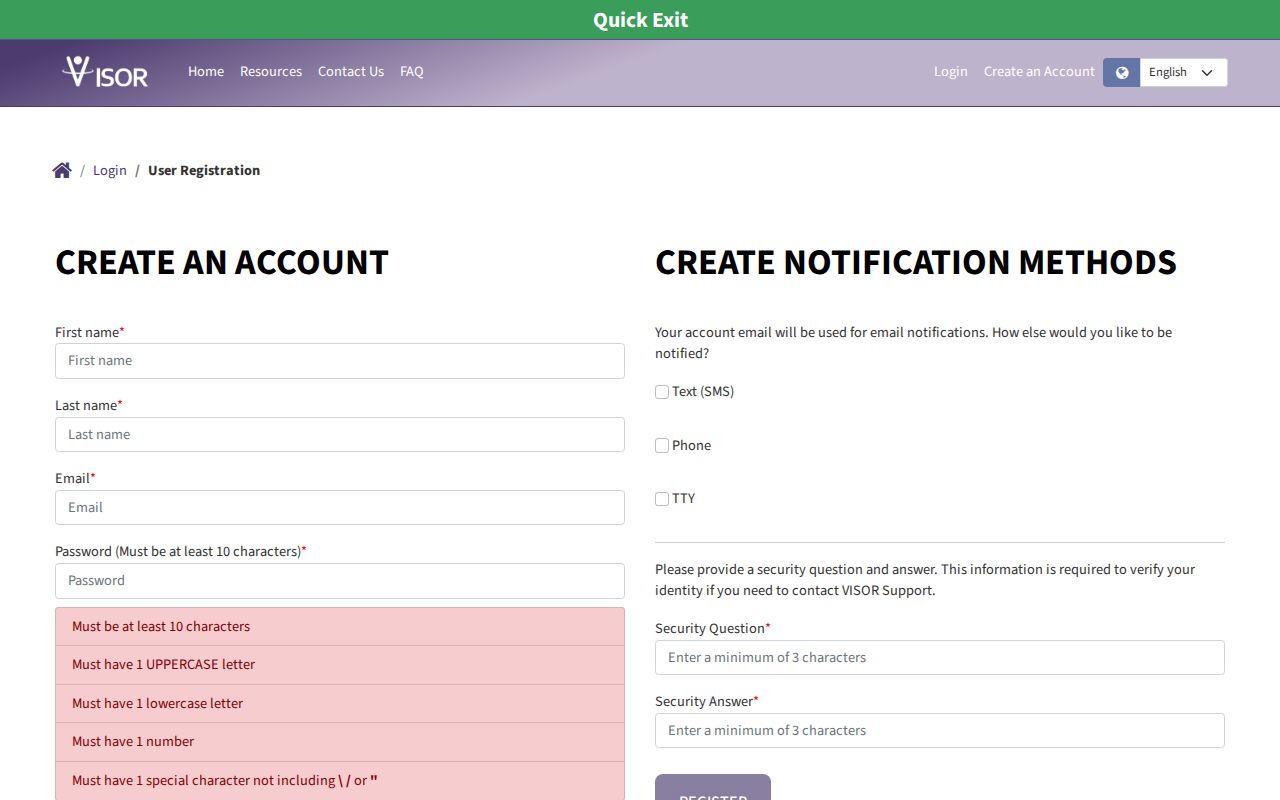
This registration screen is the proper source for current contact choices and security steps, replacing old PIN-based VINELink directions.
Note: Keep registration details current because a stale phone number or email address can prevent a notice from reaching its recipient.
Direct Multnomah Release Notice
Multnomah County adds a local channel to statewide VISOR. For someone currently in a county jail, the county’s crime-victim rights information says to call Jail Information at 503-988-3689 and ask about direct contact before release. The line is described by MCSO as answered 24 hours a day, every day.
Direct contact and VISOR are separate routes. VISOR is the automated statewide notice system for Oregon county and state custody. Jail Information is the local route for a person now in MCSO custody. Neither should be confused with PAID’s seven-day released-person search, which is the county’s public historical convenience window after a release is entered.
MCSO also warns that release approval is not the moment of physical exit. Processing may take four to five hours, and the agency will not promise an exact time. A direct call, VISOR update, court order, and the person’s exit can therefore occur on different timelines.
Oregon VINELink PIN Is Legacy
The change from VINES to VISOR is more than a new link. It changes the registration instructions. Current official VISOR materials do not tell users to create a four-digit VINE PIN. The account path instead uses a password and a security question and answer, and anonymous or guest registration remains available. Any old Oregon brochure that gives a PIN workflow should be checked against the live portal before use.
Old contact details can also linger. The live VISOR FAQ lists 855-691-6246 and VISOR@doc.oregon.gov, with a stated email response target of three business days. Older pages may show 888-749-8080. Treat that older number as legacy unless the live system reconfirms it. The current portal and FAQ control.
The Oregon DOJ VISOR instructions show the official search and registration path.
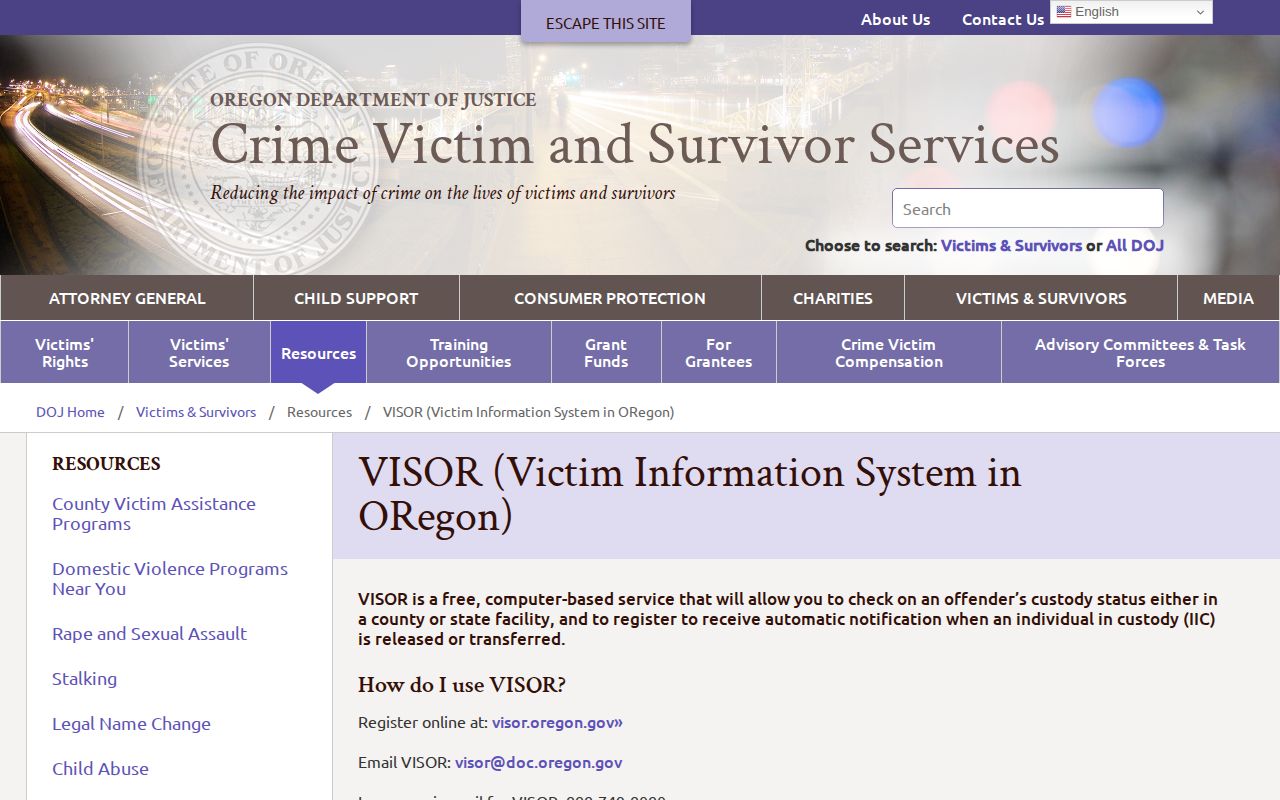
The state instructions confirm the current service name and alert workflow, so legacy VINELink labels should be treated only as navigation language.
Confirm Multnomah Release Records
A VISOR notice should be checked against the source system when exact status matters. County jail release within seven days can be reviewed in MCSO PAID by selecting “Released Last 7 Days” and opening the booking detail. That detail can show release date and reason. Older county confirmation requires Jail Information or an MCSO public-records request. A county-jail-only person may never appear in Oregon Offender Search.
For an ODOC prison release, use Oregon Offender Search as a locator, then request an ODOC record when exact discharge proof is needed. OOS is periodically updated and is not an official record. A person released from Columbia River Correctional Institution follows the state route, not the county seven-day list unless there was also a separate MCSO booking.
VISOR does not claim federal or ICE coverage. A BOP result marked released or not in BOP custody still does not rule out custody by another authority. ICE ODLS can fail to return a person for several reasons and is not a historical release archive. Court records supply legal context but may not capture physical exit time. These limits are why a notice is best treated as a prompt to verify, not as the last word.
Resolve Multnomah VISOR Alert Problems
An alert may not arrive for reasons that do not resolve custody. The selected person may be wrong, contact data may be stale, a method may be blocked, or the source agency may not yet have sent the event to VISOR. Official state guidance also warns users not to rely on notification as the only protective measure. Reopen the registration, check the selected individual and contact method, then verify the source agency record.
The live VISOR FAQ lists 855-691-6246 and VISOR@doc.oregon.gov for help. Its email response target is three business days, so an urgent status question should also go to the agency that holds the person. For someone in MCDC or Inverness, call MCSO Jail Information. For a state prisoner, check OOS and ODOC. Keep the person’s name and offender number ready, but do not send more personal data than the help channel requests.
Duplicate registrations also need care. An account can manage contact choices, recent notification history, preferences, and unregistration. A guest registration may require the saved registration information to make later changes. If an alert says transfer rather than release, follow the receiving authority. Transfer means custody moved. It does not mean the person entered the community.
After a release notice, preserve the date and method of the alert only as context. The MCSO booking detail or ODOC discharge record is the durable source. If the question concerns the legal basis for release, pair that custody record with the court judgment or Board order. Each source answers one part of the event.